

SWI TRAK TRL 1630SX CNC/Manual Toolroom Lathe w/Updated 2022 SLX Controller, 4 Station Indexer
Have one to sell?
ConditionUsed
1 available
$17,950.00 USD
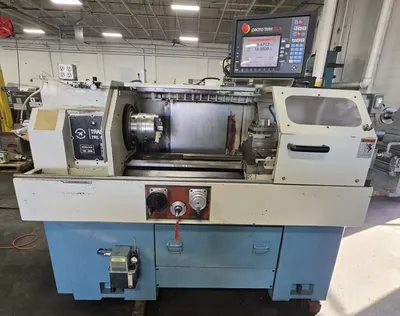
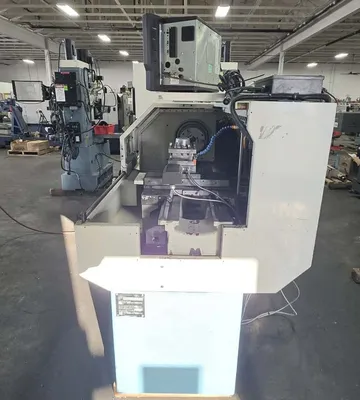
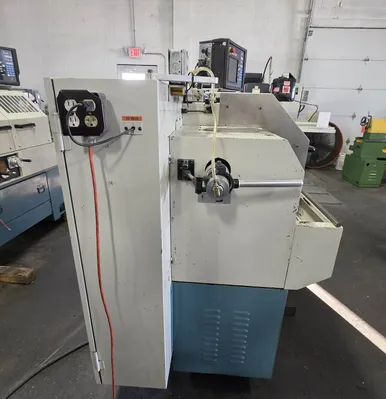
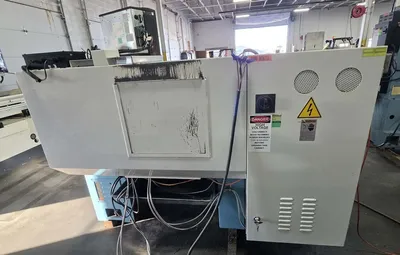
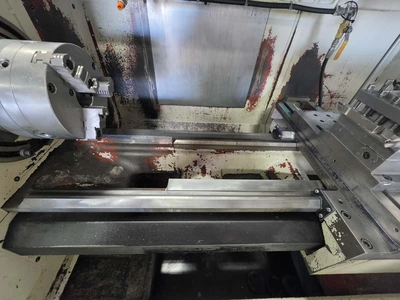
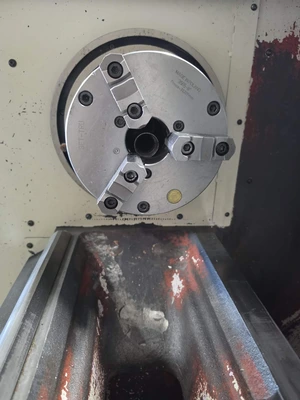
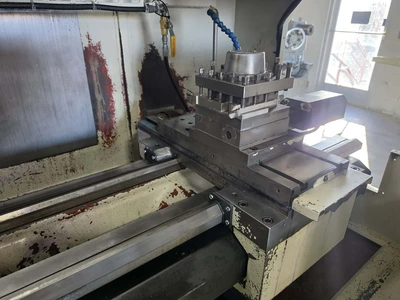
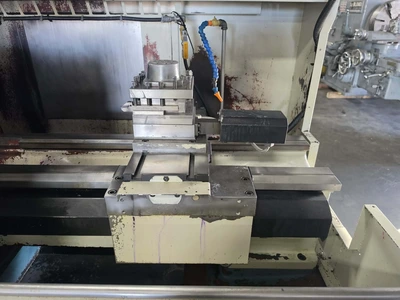
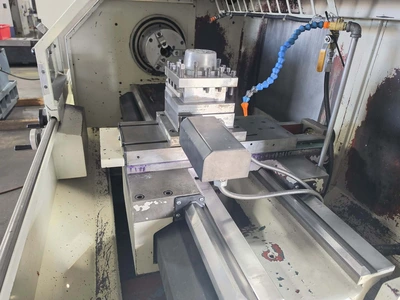
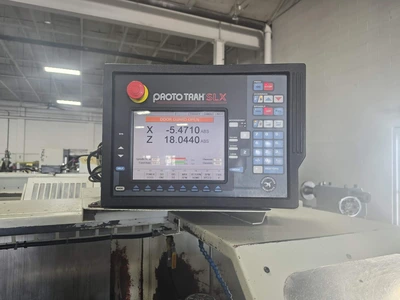
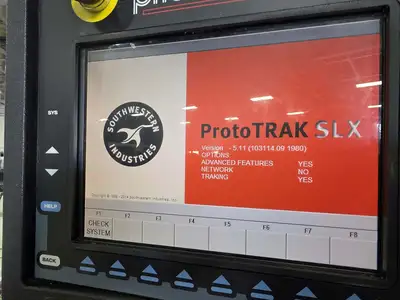
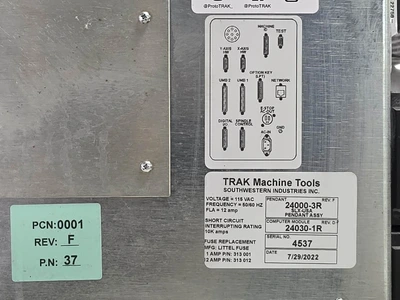
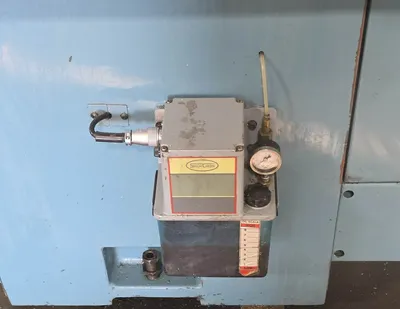
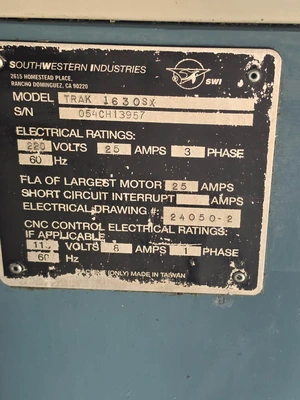
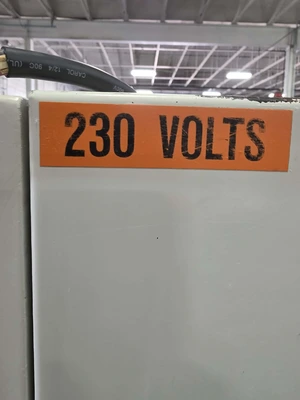
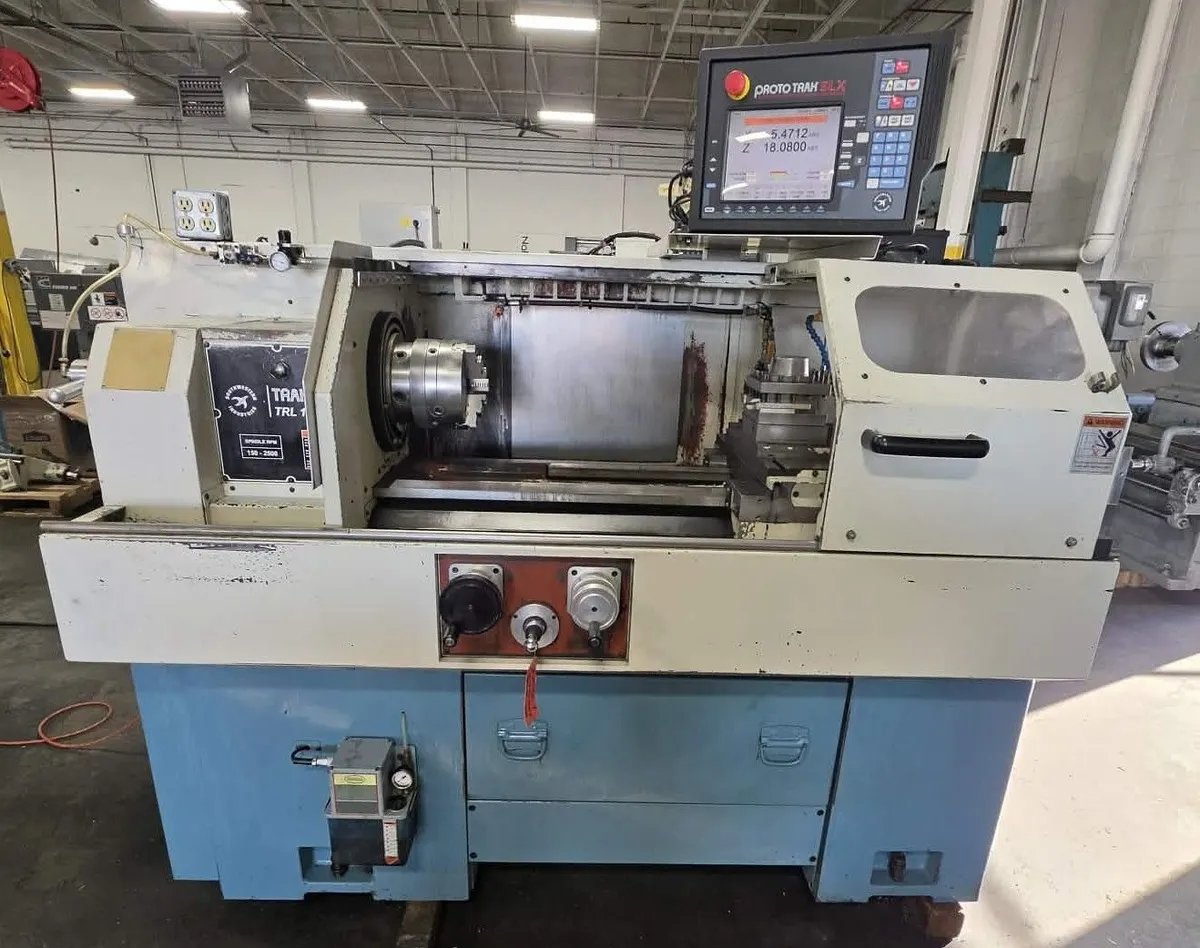
New updated Proto TRAK SLX Controller in 2022.
TRL 1630SX Lathe Specifications
with the ProtoTRAK SLX Control
Machine Specifications
• Height of Centers-8”
• Distance between centers-30”
• Swing over bed -16”
• Swing over saddle wings-16”
• Swing over cross slide-8.6”
• Cross slide travel-8.5”
• Tool section max-3 /4”
• Coolant tank capacity - 8 gal.
• Width of Bed-12.6”
• Height of Bed-12.6”
• Spindle Nose (Camlock)-D1-6
• Spindle through hole-2.12”
• Spindle taper-MT#6
• Taper in reduction sleeve -N/A
• Spindle dia at front bearing-3.15”
• Number of bearings-2
• Bearing class (radial round)-P5
• Spindle speed range (RPM)-150-2500
• Tailstock Quill travel-5”
- Quill diameter-2.36”
- Quill taper hole-MT#4
• Spindle Motor HP -7.5
• Power requirements, control-110V; 1P; 8 A
• Power requirements, machine-220V;3P;60Hz
• Amps full load current-25
• Dimensions net - 79 x 40 x 56”
• Dimensions shipping - 87 x 45 x 67”
• Weight net – 2,875 lbs.
• Weight shipping – 3,420 lbs.
• Maximum rapid feed X - 100
• Maximum rapid feed Z - 150
• Coolant pump motor -1/8 HP
• Spindle motor brake - Dynamic braking
• Way surface hardness - 400 – 450 HB
• Head stock lubrication - Oil bath
• Sliding door for easy set-ups
• Bedways hardened and ground
• Sliding surfaces Turcite coated
• Dovetails on cross slide, V-ways on saddle
• Adjustable saddle gibs
Machine Options
• Collet closer
• 10" 3 Jaw Chuck
• Coolant pump
• Indexer – 4-station
• Work lamp
• Remote stop/go switch
• Tailstock
ProtoTRAK SLX System Specifications Updated 2022
(O) indicates optional feature
ProtoTRAK System Hardware
• ProtoTRAK SLX CNC
• Two-axis CNC, two-axis DRO
• Electronic handwheels for manual operation
• 10.4” color active-matrix screen
• Industrial-grade Pentium® processor
• 1 GB Ram
• 4 USB connectors
• RJ45 port and Ethernet card (O)
• Override of program feedrate
• Override of program spindle speed
• LED status lights built into display
• Gasket-sealed enclosures
• Jogstick for convenient jog
• USB Thumb drive flash memory 512 MB or more (O)
• Clean front panel with few hard keys
Software Features – General Operation
• Clear, uncluttered screen display
• Prompted data inputs
• English language – no codes
• Soft keys - change within context
• Windows® operating system
• Color graphics with adjustable views
• Inch/mm selectable
• Convenient modes of operation (see below)
DRO Mode features
• Incremental and absolute dimensions
• Jog at rapid with override
• Powerfeed X or Z
• Tapers of any angle
• Radius
• Fillet
• Go To dimensions (O)
• Servo motor return to Home
• Spindle speed setting with override
• Tool offsets from library
• Fine/course handwheel resolution (O)
Program Mode features
• Geometry-based programming
• Event comments (O)
• Incremental and absolute dimensions
• Automatic tool nose radius compensation
• Circular interpolation
• Linear interpolation
• Look –graphics with a single button push
• List step – graphics with programmed events displayed
• Alphanumeric program names
• Conrad – one input for automatic corner radius programming
• Chamfer – one input for automatic chamfer programming
• Math helps with graphical interface
• Auto load of math solutions
• Subroutine repeat of programmed events
• Nesting
• Programmable spindle speeds
• Program run time clock in Run Mode (O)
• CSS (Constant Surface Speed) programming (O)
• IPR (Inch per Revolution) programming (O)
• Gang tooling (O)
Canned cycles
• Position
• Drill
• Bore
• Turn
• Arc
• Cycle
• Thread
• Groove
• Custom thread (O)
• Tap (O)
Edit mode Features
• Delete events
• Erase program
• Spreadsheet editing (O)
• Global data change (O)
• Clipboard to copy events between programs (O)
Set Up Mode Features
• Program diagnostics
• Advanced tool library
• Tool library file save
• Icon-prompted tool setting
• Tool offsets with modifiers
• Single tool set-up
• Gang tool set-up (O)
• Indexer tool set-up (O)
• Advanced diagnostic routines
• Software travel limits
• Tool path graphics with adjustable views
• Program run time estimation clock
Run Mode Features
• CAM file program run
• Real time run graphics with tool icon
• Countdown clock to next pause or tool change (O)
• TRAKing of programs during program run (O)
• Automatic indexing for tool change (O)
• Gang tool operation (O)
Program In/Out Mode Features
• Program storage to USB flash drive
• CAM program converter
• Converter for prior-generation ProtoTRAK programs
• DXF/DWG file converter (O)
• Selection of file storage locations (O)
• Automatic file back-up routine (O)
• Preview graphics for unopened files (O)
• Networking (O)
Control Options
Advanced Features with Verify Option
• Verify – see a 3-D model machined before cutting chips
• Spreadsheet editing
• Global data change
• Clipboard to copy events to another program
• Event comments
• Program run time estimator
• CSS (Constant Surface Speed) programming
• IPR (Inch per Revolution) programming
• Gang tooling
• Additional Canned Cycles:
• Custom thread
• Tap
Networking Option
• Networking via RJ 45 port
The DXF File Converter Option
• Import and convert CAD data into ProtoTRAK programs
• DXF or DWG files
• Chaining
• Automatic Gap Closing
• Layer control
• Drawing Line Edit
• Easy, prompted process you can do right at the machine
CAM Out Converter Option
• Save ProtoTRAK files as CAM files for running on different controls
TRAKing/Electronic Handwheels Option
• TRAKing of programs during program run
• Go To Dimensions
• Selectable Fine/Coarse handwheel resolution
New updated Proto TRAK SLX Controller in 2022.
Imperial
| Swing | 16" |
| Machining Length | 30" |
| # Axis | 2 |
| Chuck Size | 10" |
| Bar Capacity | 2.12" |
| Power | 7.5 hp |
| Max RPM | 2,500 RPM |
| Turning Dia | 16" |
| Tailstock | Yes |
| Live Tooling | No |
| Sub Spindle | No |
| Control | CNC (ProtoTRAK SLX) |
| Dimensions | 79 x 40 x 56 |
| Weight | 2875 |
TRL 1630SX Lathe Specifications
with the ProtoTRAK SLX Control
Machine Specifications
• Height of Centers-8”
• Distance between centers-30”
• Swing over bed -16”
• Swing over saddle wings-16”
• Swing over cross slide-8.6”
• Cross slide travel-8.5”
• Tool section max-3 /4”
• Coolant tank capacity - 8 gal.
• Width of Bed-12.6”
• Height of Bed-12.6”
• Spindle Nose (Camlock)-D1-6
• Spindle through hole-2.12”
• Spindle taper-MT#6
• Taper in reduction sleeve -N/A
• Spindle dia at front bearing-3.15”
• Number of bearings-2
• Bearing class (radial round)-P5
• Spindle speed range (RPM)-150-2500
• Tailstock Quill travel-5”
- Quill diameter-2.36”
- Quill taper hole-MT#4
• Spindle Motor HP -7.5
• Power requirements, control-110V; 1P; 8 A
• Power requirements, machine-220V;3P;60Hz
• Amps full load current-25
• Dimensions net - 79 x 40 x 56”
• Dimensions shipping - 87 x 45 x 67”
• Weight net – 2,875 lbs.
• Weight shipping – 3,420 lbs.
• Maximum rapid feed X - 100
• Maximum rapid feed Z - 150
• Coolant pump motor -1/8 HP
• Spindle motor brake - Dynamic braking
• Way surface hardness - 400 – 450 HB
• Head stock lubrication - Oil bath
• Sliding door for easy set-ups
• Bedways hardened and ground
• Sliding surfaces Turcite coated
• Dovetails on cross slide, V-ways on saddle
• Adjustable saddle gibs
Machine Options
• Collet closer
• 10" 3 Jaw Chuck
• Coolant pump
• Indexer – 4-station
• Work lamp
• Remote stop/go switch
• Tailstock
ProtoTRAK SLX System Specifications Updated 2022
(O) indicates optional feature
ProtoTRAK System Hardware
• ProtoTRAK SLX CNC
• Two-axis CNC, two-axis DRO
• Electronic handwheels for manual operation
• 10.4” color active-matrix screen
• Industrial-grade Pentium® processor
• 1 GB Ram
• 4 USB connectors
• RJ45 port and Ethernet card (O)
• Override of program feedrate
• Override of program spindle speed
• LED status lights built into display
• Gasket-sealed enclosures
• Jogstick for convenient jog
• USB Thumb drive flash memory 512 MB or more (O)
• Clean front panel with few hard keys
Software Features – General Operation
• Clear, uncluttered screen display
• Prompted data inputs
• English language – no codes
• Soft keys - change within context
• Windows® operating system
• Color graphics with adjustable views
• Inch/mm selectable
• Convenient modes of operation (see below)
DRO Mode features
• Incremental and absolute dimensions
• Jog at rapid with override
• Powerfeed X or Z
• Tapers of any angle
• Radius
• Fillet
• Go To dimensions (O)
• Servo motor return to Home
• Spindle speed setting with override
• Tool offsets from library
• Fine/course handwheel resolution (O)
Program Mode features
• Geometry-based programming
• Event comments (O)
• Incremental and absolute dimensions
• Automatic tool nose radius compensation
• Circular interpolation
• Linear interpolation
• Look –graphics with a single button push
• List step – graphics with programmed events displayed
• Alphanumeric program names
• Conrad – one input for automatic corner radius programming
• Chamfer – one input for automatic chamfer programming
• Math helps with graphical interface
• Auto load of math solutions
• Subroutine repeat of programmed events
• Nesting
• Programmable spindle speeds
• Program run time clock in Run Mode (O)
• CSS (Constant Surface Speed) programming (O)
• IPR (Inch per Revolution) programming (O)
• Gang tooling (O)
Canned cycles
• Position
• Drill
• Bore
• Turn
• Arc
• Cycle
• Thread
• Groove
• Custom thread (O)
• Tap (O)
Edit mode Features
• Delete events
• Erase program
• Spreadsheet editing (O)
• Global data change (O)
• Clipboard to copy events between programs (O)
Set Up Mode Features
• Program diagnostics
• Advanced tool library
• Tool library file save
• Icon-prompted tool setting
• Tool offsets with modifiers
• Single tool set-up
• Gang tool set-up (O)
• Indexer tool set-up (O)
• Advanced diagnostic routines
• Software travel limits
• Tool path graphics with adjustable views
• Program run time estimation clock
Run Mode Features
• CAM file program run
• Real time run graphics with tool icon
• Countdown clock to next pause or tool change (O)
• TRAKing of programs during program run (O)
• Automatic indexing for tool change (O)
• Gang tool operation (O)
Program In/Out Mode Features
• Program storage to USB flash drive
• CAM program converter
• Converter for prior-generation ProtoTRAK programs
• DXF/DWG file converter (O)
• Selection of file storage locations (O)
• Automatic file back-up routine (O)
• Preview graphics for unopened files (O)
• Networking (O)
Control Options
Advanced Features with Verify Option
• Verify – see a 3-D model machined before cutting chips
• Spreadsheet editing
• Global data change
• Clipboard to copy events to another program
• Event comments
• Program run time estimator
• CSS (Constant Surface Speed) programming
• IPR (Inch per Revolution) programming
• Gang tooling
• Additional Canned Cycles:
• Custom thread
• Tap
Networking Option
• Networking via RJ 45 port
The DXF File Converter Option
• Import and convert CAD data into ProtoTRAK programs
• DXF or DWG files
• Chaining
• Automatic Gap Closing
• Layer control
• Drawing Line Edit
• Easy, prompted process you can do right at the machine
CAM Out Converter Option
• Save ProtoTRAK files as CAM files for running on different controls
TRAKing/Electronic Handwheels Option
• TRAKing of programs during program run
• Go To Dimensions
• Selectable Fine/Coarse handwheel resolution
We use cookies to improve your experience. Privacy Policy.